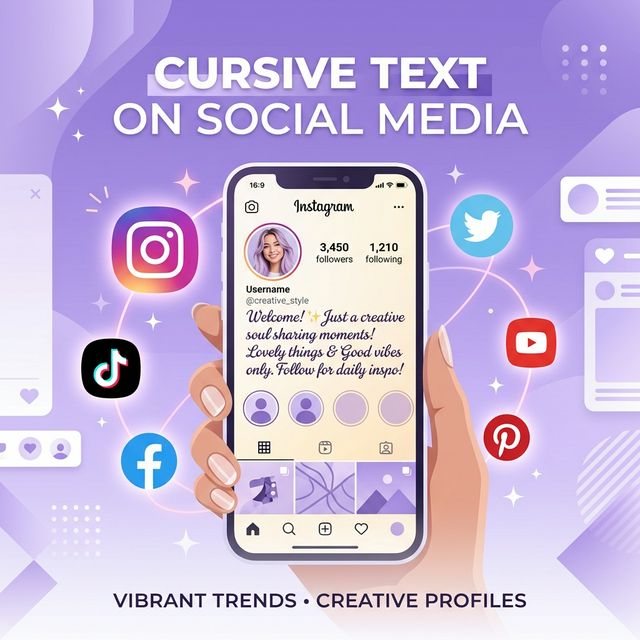
Why Stylish Text Gets More Engagement
Every social media platform is a crowded battleground for attention. On Instagram alone, over 95 million photos and videos are shared every day. On TikTok, the average user scrolls through dozens of profiles before stopping. In this environment, visual differentiation is everything — and your bio is often the first (and sometimes only) thing a potential follower reads.
Standard text bios blend into the background. But when a user encounters elegant cursive text in a bio or profile, it creates an immediate visual "pause" — a moment of curiosity that can mean the difference between a follow and a scroll-past. Social media managers and influencer coaches increasingly recommend unique typography as a no-cost way to boost profile conversion rates.
The technique is simple: cursive text generators use Unicode character substitution to replace standard Latin letters with visually distinct alternatives from the same Universal Character Set. Because these are real Unicode characters (not images or fonts), they can be copied and pasted into any text field on any platform — no special apps, plugins, or coding required.
Step-by-Step — Add Cursive to Your Instagram Bio
Adding cursive text to your Instagram bio takes less than 60 seconds. Here is exactly how to do it:
Open Our Cursive Generator
Visit cursive-generator.run on your phone or computer. No download or signup needed.
Type Your Bio Text
Enter the text you want to appear in your Instagram bio. It can be your name, a tagline, a quote — anything you want to stylize.
Choose a Cursive Style
Browse the available styles. For Instagram bios, Mathematical Script and Bold Script tend to work best because they have the widest device compatibility.
Copy the Result
Click the Copy button next to your preferred style. The stylized text is now on your clipboard.
Paste into Instagram
Open the Instagram app → Go to your profile → Tap Edit Profile → Tap the Bio field → Paste your cursive text → Tap Done. That is it.
Important note: Instagram sometimes strips certain Unicode characters during updates. If your cursive text disappears after saving, try a different font style from the generator — Mathematical Script Bold is generally the most reliable.
Cursive Text for TikTok Profiles
TikTok has a few unique considerations compared to Instagram:
- Display Name vs. Username: Your @username can only contain standard letters, numbers, underscores, and periods — no Unicode cursive. However, your Display Name (the name shown above your bio) fully supports Unicode characters, making it perfect for cursive styling.
- Bio length: TikTok bios are limited to 80 characters — shorter than Instagram. Because some Unicode cursive characters count as 2 characters, you may have an effective limit of around 50–60 cursive characters. Keep your message concise.
- Method: The process is identical — generate cursive text at our generator, copy it, open TikTok → Profile → Edit Profile → paste into the Name or Bio field.
TikTok also supports Unicode cursive in video captions and comments, which can help your comments stand out in a sea of standard text.
Twitter/X, Discord, WhatsApp & More
The beauty of Unicode-based cursive text is its universal compatibility. Here is a platform-by-platform breakdown:
| Platform | Display Name | Bio | Posts/Messages | Notes |
|---|---|---|---|---|
| Twitter/X | ✅ Yes | ✅ Yes | ✅ Yes | May reduce search discoverability for your name |
| Discord | ✅ Yes | ✅ Yes (About Me) | ✅ Yes | Works in server nicknames too |
| ✅ Yes | ✅ Yes (Status) | ✅ Yes | Full support in messages and group names | |
| ⚠️ Limited | ✅ Yes | ✅ Yes | FB may reject cursive in display names | |
| ❌ No | ✅ Yes | ✅ Yes | Keep professional; use sparingly in headline | |
| ✅ Yes | ✅ Yes | ✅ Yes | Works in pin descriptions and board names |
Best Cursive Styles for Social Media
Not all cursive styles work equally well across platforms. Here are the top recommendations based on readability, compatibility, and aesthetic appeal:
- 𝒮𝒸𝓇𝒾𝓅𝓉 (Mathematical Script) — The classic choice. Elegant and widely compatible. Best for bios and display names.
- 𝓑𝓸𝓵𝓭 𝓢𝓬𝓻𝓲𝓹𝓽 (Bold Script) — More visible and eye-catching. Great for short taglines or names that need to stand out.
- 𝑰𝒕𝒂𝒍𝒊𝒄 (Mathematical Italic) — Subtle and professional. Ideal for LinkedIn or professional bios where you want elegance without being too flashy.
- ᴛɪɴʏ ᴄᴀᴘꜱ (Small Caps) — Not cursive per se, but a popular alternative that looks clean and modern. Excellent readability on mobile.
Our recommendation for most users: Start with Mathematical Script Bold (𝓑𝓸𝓵𝓭 𝓢𝓬𝓻𝓲𝓹𝓽) — it strikes the best balance between visual impact and cross-device compatibility. Try generating your text now at our Cursive Generator.
Troubleshooting — When Cursive Text Doesn't Display
If your cursive text shows up as empty boxes (□), question marks (?), or garbled characters, here are the most common causes and fixes:
- Old device or OS: Devices running Android 4.x or iOS 8 or earlier may lack the Unicode ranges used by cursive generators. The fix is to update the operating system or choose a simpler Unicode style.
- Custom font installed on device: Some custom system fonts override Unicode rendering. Switch back to the default system font to check.
- Platform filtering: Instagram and Facebook occasionally update their text filters and may strip certain Unicode characters. If this happens, try a different cursive style from the generator.
- Copy-paste issues: Make sure you copy the entire generated text, including any invisible Unicode formatting characters. Use the Copy button on our generator rather than manually selecting text, which can miss hidden characters.
As a general rule, Mathematical Bold Script characters have been supported since Unicode 1.1 (1993) and have the widest compatibility of any cursive style.
Pro Tips — How Creators Use Stylized Text
Here are strategies used by successful content creators to get the most out of cursive and stylized text on social media:
- Mix and match: Combine one line of cursive (for your name or tagline) with standard text for the rest of your bio. This creates visual hierarchy — your cursive text becomes the headline that draws the eye.
- Use it for section dividers: In longer bios (Instagram allows line breaks), use a small line of decorative Unicode characters (like ✧ or ─) as visual separators between sections.
- Highlight your CTA: Make your call-to-action line (e.g., "DM for collabs" or a link prompt) the one element styled in cursive. This draws attention to the action you want visitors to take.
- Seasonal updates: Change your cursive style periodically to keep your profile feeling fresh. A bold script in summer, an elegant thin script in winter — small changes signal an active, cared-for profile.
- Brand consistency: If you manage multiple social accounts, use the same cursive style across all of them. This creates a recognizable visual identity.
Ready to upgrade your social media presence? Head to our Cursive Text Generator and create your perfect styled text in seconds — no sign-up required.