Cursive Signature Generator — Design Your Professional Signature
Create a signature that says something about you. Our free cursive signature generator turns your name into an elegant, professional sign-off — perfect for emails, documents, social profiles, and personal branding. Choose from 35+ signature styles and customize the look instantly.
Text up to 35 characters per line (maximum 3 lines)
Your Cursive Signature in Email
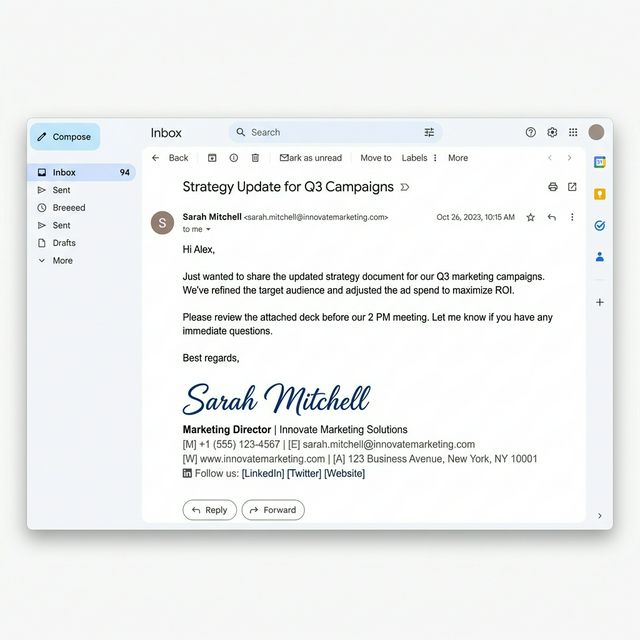
The most popular use of the cursive signature generator is creating email sign-offs that look professionally designed. A plain-text name at the end of an email is forgettable — a cursive signature makes every message feel personal and polished.
How to add your cursive signature to Gmail:
- Generate your name in the cursive signature generator above
- Copy the style you like
- Open Gmail → Settings → See all settings → Signature
- Paste your cursive name and add your title, phone, and links below it
- Save — every email you send will now include your signature
How to Use the Cursive Signature Generator
Enter your full name
Type your first and last name — or your professional name — into the cursive signature generator. Use the name exactly as you want it to appear in your signature.
Explore signature styles
Browse the Signature category for fonts specifically designed for sign-offs, or explore Handwritten and Gothic styles for different signature aesthetics.
Match your brand colors
Use the color picker in the cursive signature generator to set your signature color. Navy blue and black are classic choices for professional signatures.
Copy and deploy
Copy your finished signature and paste it into Gmail, Outlook, LinkedIn, your website footer, or any document where you sign off.
Professional vs. Personal Signatures
Different contexts call for different signature styles. The cursive signature generatorhelps you find the right balance for your profession.

🏥 Medical & Academic
Precise, legible, and authoritative. Medical professionals need a cursive signature that conveys trust. Choose clean calligraphy styles with moderate flourishes from the cursive signature generator.
⚖️ Legal & Corporate
Bold, confident, and distinctive. Lawyers and executives benefit from a signature that commands respect. The cursive signature generator offers heavy-stroke styles perfect for this.
🎨 Creative & Freelance
Artistic, expressive, and unique. Designers, photographers, and artists can use the cursive signature generator to create a signature that doubles as a personal logo.
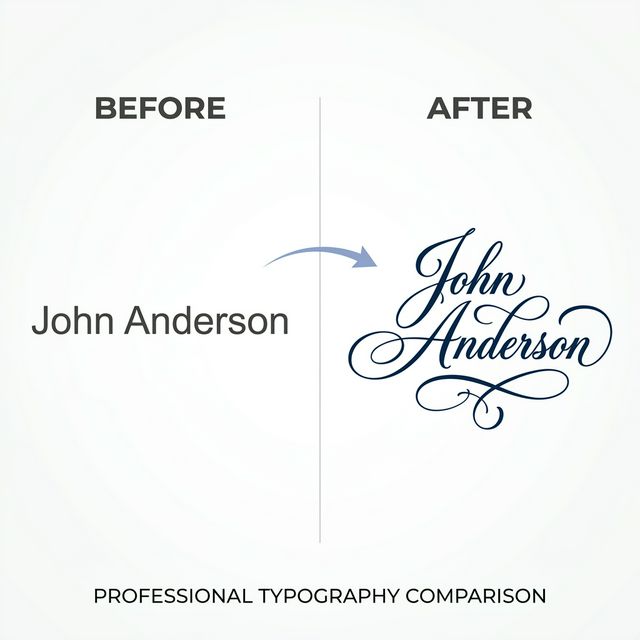
The Cursive Signature Transformation
See the dramatic difference a cursive signature generator makes compared to a plain typed name.
Why Your Signature Matters More Than You Think
A signature is more than the name at the bottom of your email — it is a micro-branding element that people see hundreds of times. Research shows that recipients actually notice email signatures, and a well-designed one increases perceived professionalism. Our cursive signature generatorhelps you make that first impression count without hiring a designer or learning calligraphy.
Every email you send, every document you sign off on, every LinkedIn comment you post — they all carry your name. The cursive signature generator ensures that name always looks polished, intentional, and uniquely yours. Unlike image-based signatures that get blocked by email clients, our Unicode-based cursive signature text renders reliably everywhere.
Where to Use Your Cursive Signature
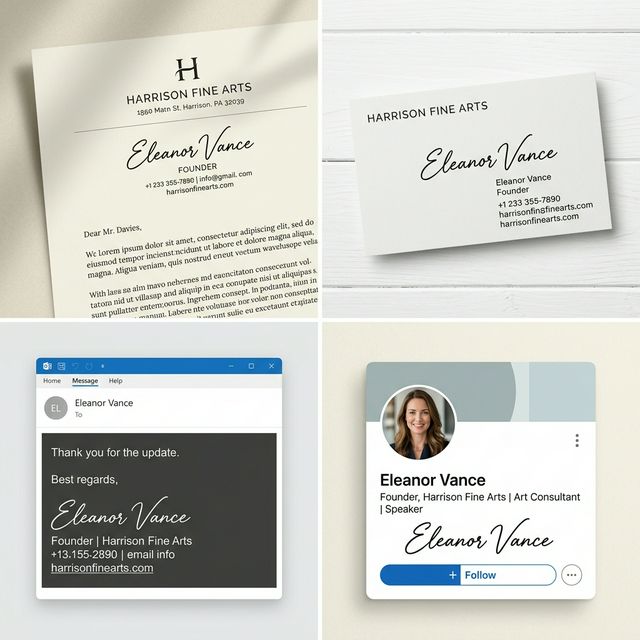
The cursive signature generator produces text you can use across multiple touchpoints of your professional identity:
- Email signatures. The number-one use case. Paste your cursive signature into Gmail, Outlook, Apple Mail, or any email client. Add your title, phone, and website below for a complete sign-off.
- LinkedIn profiles. Use the cursive signature generator output as your display name or in your featured section to stand out among thousands of plain-text profiles.
- Business cards. Preview how your name will look in script before ordering printed cards. Compare cursive signature styles to find the one that matches your brand.
- Website footers and about pages. Add a personal touch to your professional website with a cursive signature in the footer or author bio section.
- Freelance proposals and invoices. A cursive signature at the bottom of a proposal or invoice adds a professional polish that plain text cannot match.
Building Your Personal Brand with Cursive
Personal branding experts recommend consistency across all touchpoints — and your signature is one of the most frequently seen elements. Use the same cursive signature generator style everywhere: emails, social profiles, documents, and name displays. This consistency builds recognition and trust over time.
Pair your cursive signature with a matching cursive title for presentation headers or blog post bylines. The visual harmony between your name and your headings creates a cohesive brand identity that looks intentional and professional.
Cursive Signature Generator FAQ
More Free Cursive Tools
Explore other ways to use cursive text.